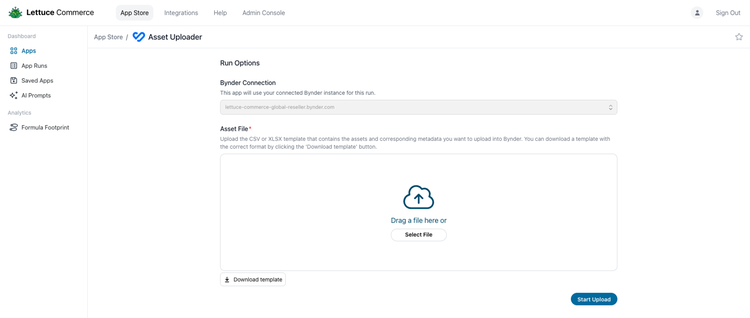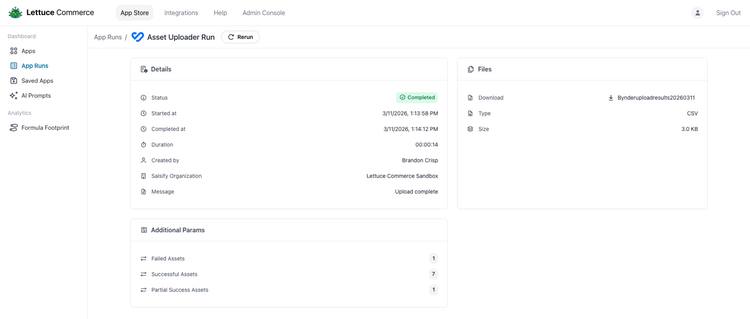
The Bynder Asset Uploader by Lettuce Commerce enables users to bulk-create media records in Bynder using structured CSV or Excel files, remote asset URLs, and optional metadata in a single run. Instead of manual, one-at-a-time file uploads and data entry, this integration automates file ingestion, applies metadata, and tracks upload results at scale.
The application streamlines high-volume asset onboarding while actively reducing manual effort, input errors, and overall processing time. The integration is entirely self-service and requires an annual license. However, if assistance is required, Lettuce Commerce can conduct discovery, configuration, and validation for a one-time setup and run fee.
Benefits
- Faster Asset Onboarding
Reduce the time required to add large volumes of assets to Bynder. - Less Manual Work
Eliminate repetitive file uploads and metadata entry steps. - Improved Consistency
Standardize asset naming and metadata population through spreadsheet templates. - Better Visibility
Give teams a clear record of which uploads succeeded, partially succeeded, or failed. - Scalable Operations
Support repeatable bulk upload workflows for growing asset libraries.
Features
Bulk Asset Upload
Upload many assets into Bynder from a single CSV or Excel file.Spreadsheet-Driven Metadata
Apply asset details and metaproperties directly from structured input columns.Remote URL Ingestion
Import assets from existing hosted file URLs without manual file-by-file upload.Row-Level Status Tracking
Review saved, partial-success, and failed results for each asset after processing.Bynder API Integration
Uses Bynder upload and media endpoints to create assets in the target Bynder instance.
Screenshots